

 Our mission is to lead innovation by providing the most advanced solutions in reliability and sustainability to empower…
 REC is looking to the future by aligning business goals with Saudi Arabia’s 2030 Vision. Part of this is investing in our young people and their future.
 Reliability Expert Center was established with the strategic vision of spreading a reliability and sustainability culture across Saudi Arabia.




ReliaSoft’s Xfmea supports the major industry standards for all types of FMEA analysis (including Design FMEA, Process FMEA, FMECA, etc.). The software provides predefined profiles for the major reporting standards and also offers extensive capabilities to customize the interface and reports to meet your organization’s specific needs.
Xfmea enables you to transfer relevant data between your Design FMEAs and Process FMEAs, and also provides worksheets for related analyses such as Design Verification Plans (DVP&Rs), Design Reviews Based on Failure Mode (DRBFMs), Process Flow Diagrams and Control Plans.
Xfmea analyses are stored in a centralized database that supports simultaneous access by multiple users and shares relevant information between Synthesis-enabled software tools. This enables you to build and manage a valuable, keyword-searchable knowledge base of product reliability information and lessons learned that can be shared throughout your organization. For enterprise-level repositories, both Microsoft SQL Server® and Oracle® are supported.
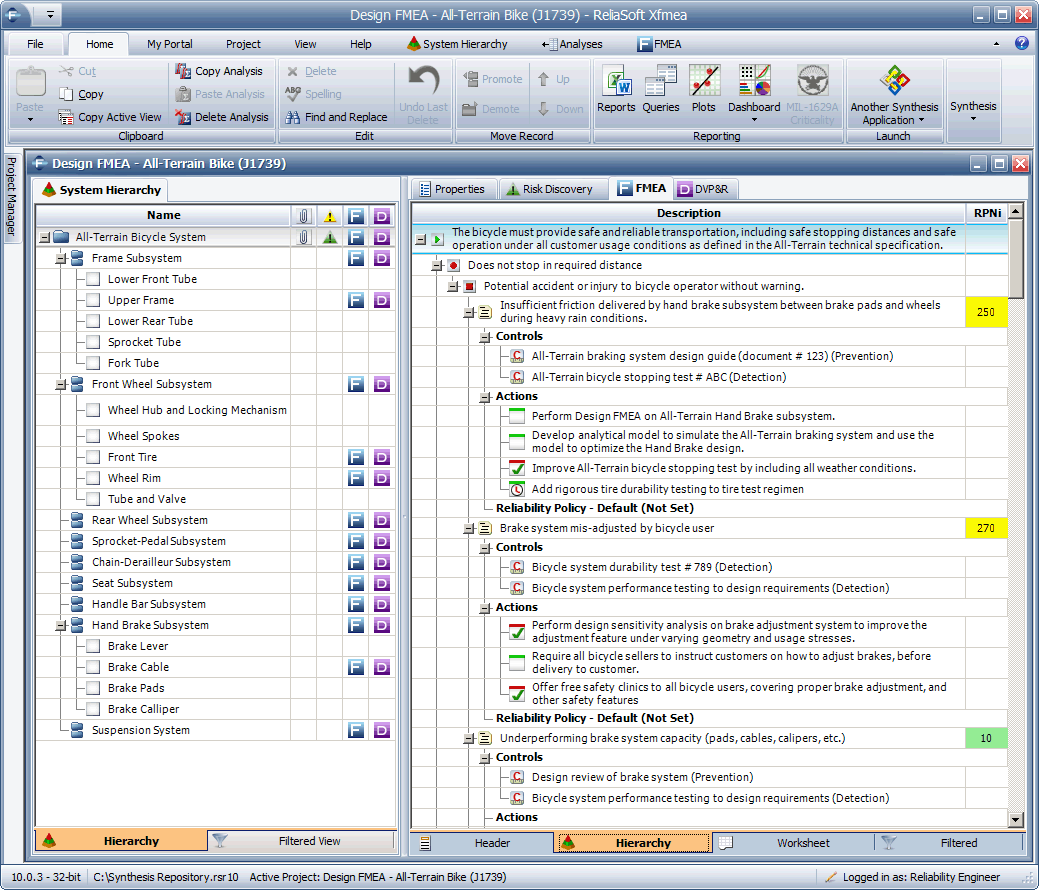
The software provides an array of tools to help you find and reuse descriptions from any existing analysis and to select phrases from predefined templates or phrase libraries. You also can use fully customizable Excel® templates to quickly import system configurations or analysis data from external data sources.
Xfmea’s flexible System Hierarchy panel provides a uniquely powerful opportunity to organize the analysis information according to even the most complex multi-level system configuration. Then for each analysis, you can easily switch back and forth between three complementary views of the FMEA data: the traditional worksheet, an intuitive hierarchical tree or sortable filtered lists (e.g., causes ranked by RPN or actions ranked by due date).
To make sure your organization follows through to implement the design or process improvements identified during the FMEA, Xfmea provides a variety of features to help the team track the completion of recommended actions. This includes targeted reports, charts and the ability to send automated notifications via e-mail.
Xfmea provides a complete set of print-ready reports, flexible ad-hoc queries, charts and diagrams that allow you to present analysis information in the most effective ways to support decision-making.



