

 Our mission is to lead innovation by providing the most advanced solutions in reliability and sustainability to empower…
 REC is looking to the future by aligning business goals with Saudi Arabia’s 2030 Vision. Part of this is investing in our young people and their future.
 Reliability Expert Center was established with the strategic vision of spreading a reliability and sustainability culture across Saudi Arabia.




ReliaSoft’s BlockSim software tool provides a comprehensive platform for system reliability, availability, maintainability and related analyses.
The software offers a sophisticated graphical interface that allows you to model the simplest or most complex systems and processes using reliability block diagrams (RBDs) or fault tree analysis (FTA) — or a combination of both approaches! In Version 10, Markov diagrams are also available (if supported by your license).
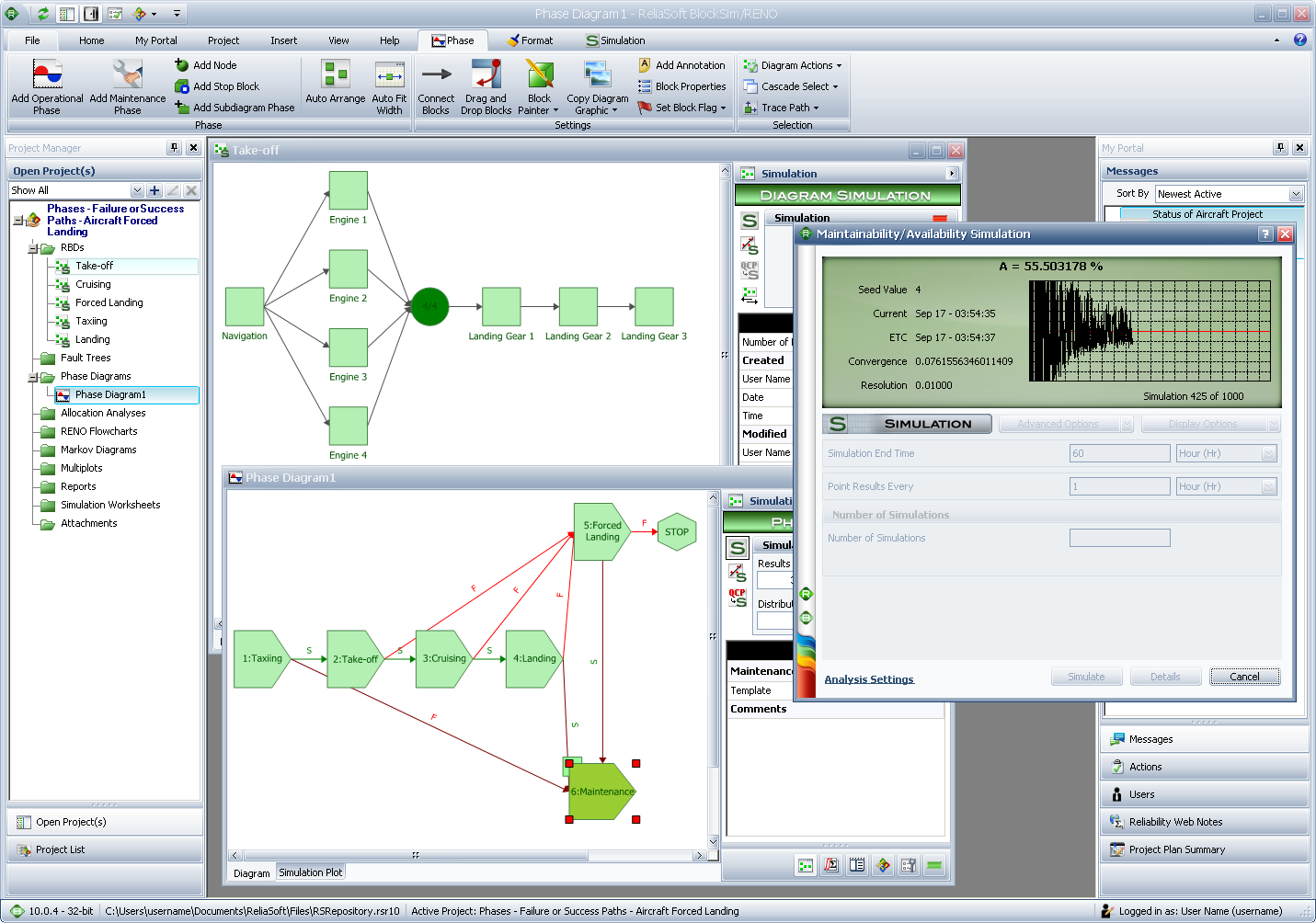
BlockSim supports an extensive array of reliability block diagram (RBD) configurations and fault tree analysis (FTA) gates and events, including advanced capabilities to model complex configurations, load sharing, standby redundancy, phases and duty cycles. Using exact computations and/or discrete event simulation, BlockSim facilitates a wide variety of analyses for both repairable and non-repairable systems. This includes:
With integration into the Synthesis Platform, analyses are now stored in a centralized database that supports simultaneous access by multiple users and shares relevant reliability information between Synthesis-enabled software tools. For enterprise-level repositories, both Microsoft SQL Server® and Oracle® are supported.
ReliaSoft offers a three-day training course that addresses the topic of system reliability, maintainability and related analyses using a reliability block diagram (RBD) or fault tree analysis (FTA) approach. By combining a solid theoretical foundation with practical application examples and hands-on training on the use of the BlockSim software tool, this course will give you the knowledge and skills you will need to successfully apply these important reliability techniques.
The BlockSim software provides an extensive array of tools to help you model and analyze systems and/or processes. Some of the potential applications and benefits for using reliability block diagrams (RBDs), fault tree analysis (FTA) and ReliaSoft’s BlockSim software include:
Latest Release
10.1.6 ♦ 24-Oct-2016 | Update
Contact Us | Live Chat | Technical Support
Windows 7, 8, 8.1 or 10 Requirements
Interface Languages: English, French, German, Portuguese, Spanish, Simplified Chinese
Training: G522A, Quick Start Guide
Why Upgrade? New in Version 10
Pubs and Videos:



