Our mission is to lead innovation by providing the most advanced solutions in reliability and sustainability to empower…
 REC is looking to the future by aligning business goals with Saudi Arabia’s 2030 Vision. Part of this is investing in our young people and their future.
 Reliability Expert Center was established with the strategic vision of spreading a reliability and sustainability culture across Saudi Arabia.




Each Synthesis repository can contain many different analysis projects that may be accessed simultaneously by many different users. The flexible Project Categories feature allows you to group and manage the projects in a way that fits the specific needs of the users and the organization.
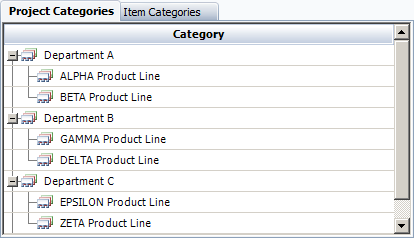
An authorized user can configure the categories for any Synthesis repository by choosing File > Manage Repository > Define Categories. In the Define Categories window, click the Project Categories tab. In the following example, the repository uses two category levels, where the projects are grouped first by department and then by product line.
Once the categories have been configured, users can assign a category to each project via the General tab of the Project Properties window (Project > Management > Edit Project Properties).
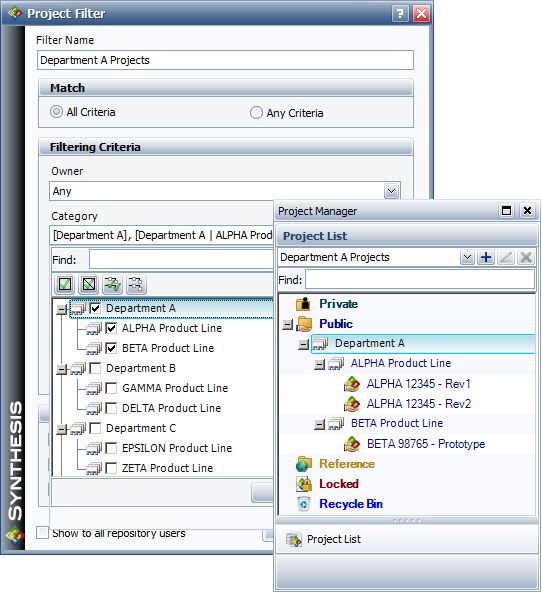
Any interface that displays a list of the projects in the current repository can be configured to group the projects by category. Individual users can also choose to filter the list so it displays only the projects in selected categories, as shown next.