

 Our mission is to lead innovation by providing the most advanced solutions in reliability and sustainability to empower…
 REC is looking to the future by aligning business goals with Saudi Arabia’s 2030 Vision. Part of this is investing in our young people and their future.
 Reliability Expert Center was established with the strategic vision of spreading a reliability and sustainability culture across Saudi Arabia.




ReliaSoft’s MPC software is an MSG-3 compliant maintenance program creator for the aircraft / aerospace industry. The software has been designed to assist MSG-3 working groups to perform Systems and Powerplant Analysis, Structural Analysis and/or Zonal-L/HIRF Analysis in accordance with the MSG-3: Operator/Manufacturer Scheduled Maintenance Development guidelines.
MPC facilitates the analysis process, provides flexible data management capabilities and offers automated report generation in templates that have been accepted for submission to the aircraft industry maintenance review board.
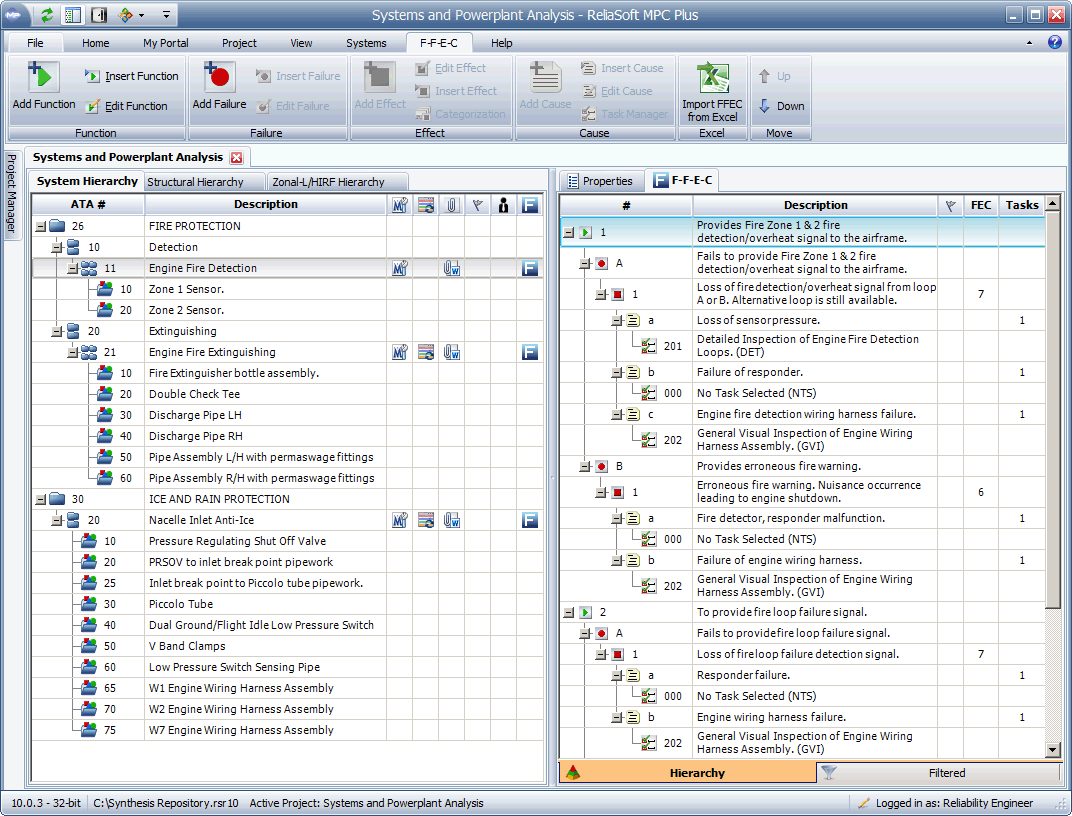
The MPC software is available in two versions:
MPC Standard supports the entire process for Systems and Powerplant Analysis.
MPC Plus includes additional support for Structural Analysis and Zonal-L/HIRF Analysis.
With integration into the Synthesis Platform, analyses are now stored in a centralized database that supports simultaneous access by multiple users and shares relevant reliability information between Synthesis-enabled software tools. For enterprise-level repositories, both Microsoft SQL Server® and Oracle® are supported.
Some of the benefits from using the MPC software to facilitate the analysis and reporting for MSG-3 analysis include:
Latest Release
10.1.6 ♦ 24-Oct-2016 | Update
Contact Us | Live Chat | Technical Support
Windows 7, 8, 8.1 or 10 Requirements
Interface Languages: English
Why Upgrade? New in Version 10
Pubs and Videos:



