

 Our mission is to lead innovation by providing the most advanced solutions in reliability and sustainability to empower…
 REC is looking to the future by aligning business goals with Saudi Arabia’s 2030 Vision. Part of this is investing in our young people and their future.
 Reliability Expert Center was established with the strategic vision of spreading a reliability and sustainability culture across Saudi Arabia.




ReliaSoft’s DOE++ software tool facilitates traditional Design of Experiments ( DOE ) techniques for studying the factors that may affect a product or process in order to identify significant factors and optimize designs. The software also expands upon standard methods to provide the proper analysis treatment for interval and right censored data — offering a major breakthrough for reliability-related analyses!
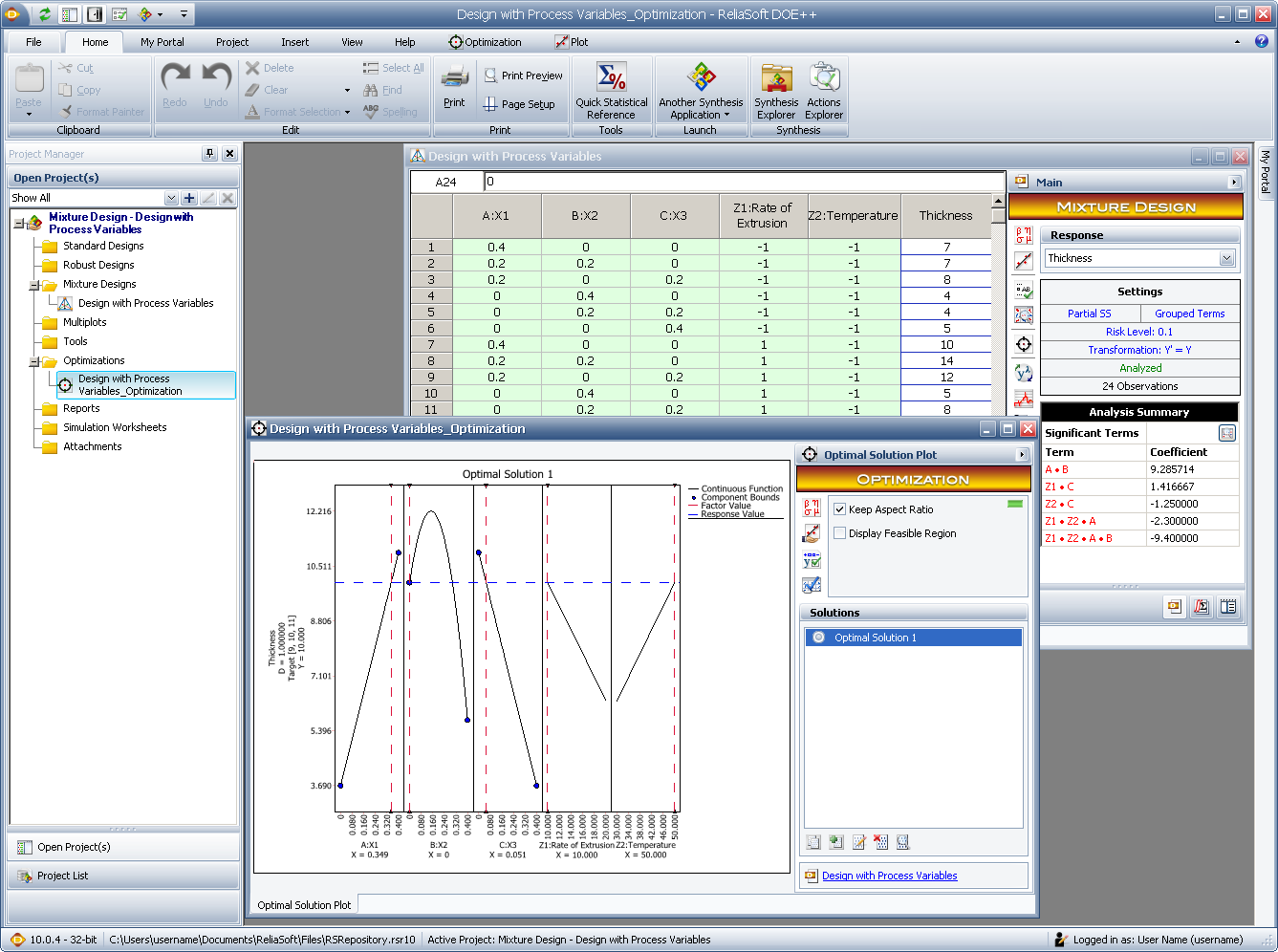
DOE++ guides you through the designs and analyses necessary for all phases of the experiment design and analysis strategy (DOE strategy), from screening for significant factors, through in-depth analysis of the targeted factors and factorial interactions, to selecting input levels for optimal performance. The software supports a variety of experiment design types, including factorial designs, fractional factorial designs, Taguchi robust designs, response surface method designs and reliability DOE.
With integration into the Synthesis Platform, analyses are now stored in a centralized database that supports simultaneous access by multiple users and shares relevant reliability information between Synthesis-enabled software tools. For enterprise-level repositories, both Microsoft SQL Server® and Oracle® are supported.
ReliaSoft offers a comprehensive three-day training course that begins with the fundamentals of experiment design and analysis and continues with advanced DOE concepts such as factorial design, fractional factorial design, robust design, response surface methodology and mixture design. The course also provides hands-on application examples using the DOE++ software tool.
The DOE++ software provides an extensive array of tools to help you design experiments that are effective for studying the factors that may affect a product or process and analyze the results of such experiments. Some of the many useful applications include the ability to:
Latest Release
10.1.6 ♦ 24-Oct-2016 | Update
Contact Us | Live Chat | Technical Support
Windows 7, 8, 8.1 or 10 Requirements
Interface Languages: English, French, German, Portuguese, Spanish, Simplified Chinese
Training: G588, Quick Start Guide
Why Upgrade? New in Version 10
Pubs and Videos:



